Stackr
Projects
Organize work on boards with lists and cards
A board (project) is where work lives in Stackr. Each board has lists for the stages of your workflow and cards for the individual tasks that move through them.
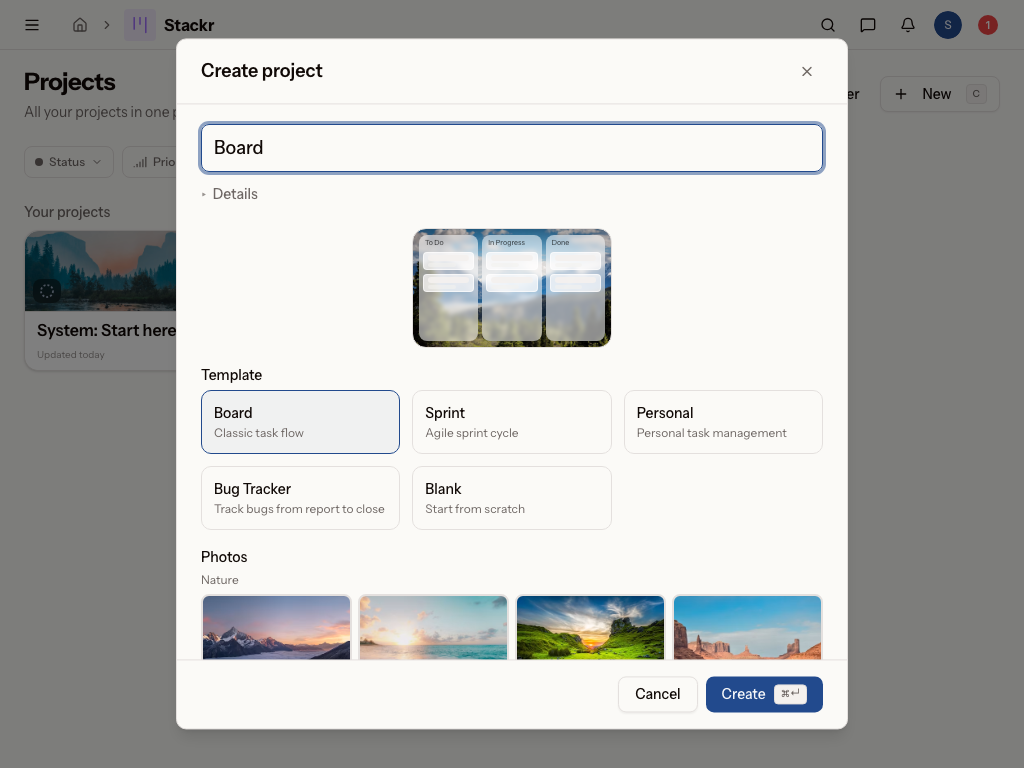
Create a board
Create a new board and give it a name. Boards are private by default — only you can see a new board until you grant access to others (see Share a board).
Add lists and cards
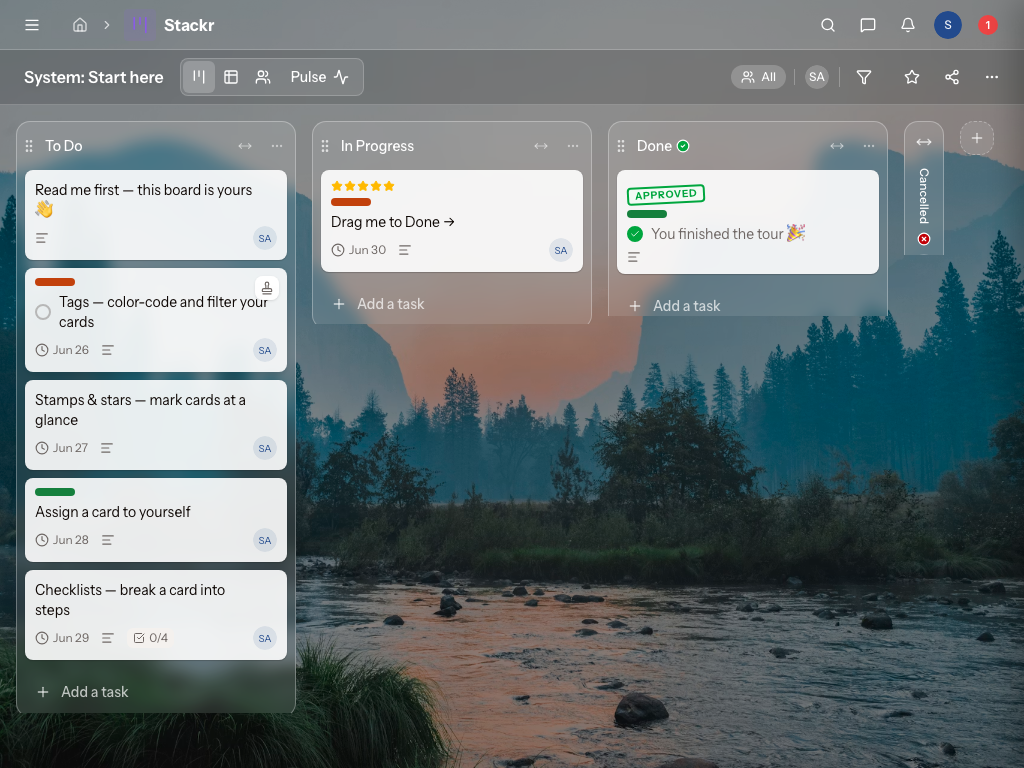
- Add a list for each stage of your workflow — for example To do, Doing, Done.
- Add cards to a list, one per task. Drag a card from one list to the next as the work moves along.
- Reorder or move lists and cards, and move all tasks in a list at once when you need to shift a whole stage.
Work on a card
Open a card to flesh it out:
- Set an assignee and a due date.
- Add a description and info.
- Break the work into a checklist and tick items off as you go.
- Add stamps and tags to flag priority, status, or category.
Share a board
Because boards are private, you choose who's on each one. Grant access per person as a Member (full edit) or a Viewer (read-only). Workspace admins do not get automatic access — only people you add can see the board.
Organize your boards
- Group related boards into folders, and move boards to a folder to keep things tidy.
- Switch between the board view (the kanban workflow) and the assignee view (who's working on what).
- Archive a project when it's finished to get it out of the way without deleting it.
Tips
- Keep lists to the stages of your real process — fewer, clearer lists beat many.
- Use the assignee view in a standup to see everyone's in-progress cards at a glance.
- Grant Viewer (not Member) to stakeholders who should follow a board but not change it.
Was this page helpful?